How to Handle PDF Invoices in a Dokan Multi Vendor Marketplace
Invoices get complicated fast when one checkout includes products from several vendors. Here is how I decide between one marketplace invoice, separate vendor invoices, or both, and the mistakes I see most often on Dokan marketplaces.
Invoices are one of those things nobody thinks about when planning a marketplace.
The focus is on vendor registration, product listings, commissions, and payouts. Then the first real orders come in, and the questions start.
A customer asks for an invoice for their company. A vendor wants a PDF for their accounting. The marketplace owner needs invoice numbers that actually make sense at the end of the month.
In a normal WooCommerce store, this is fairly simple. One store, one seller, one invoice.
In a Dokan marketplace, it isn't.
Why Invoices Are Harder in a Multi Vendor Marketplace
When a customer buys from three vendors in one checkout, Dokan splits that purchase into a parent order and separate sub orders for each vendor.
That's the right way to handle fulfilment. Each vendor only sees and ships their own items.
But it raises a simple question that most invoice plugins weren't built to answer:
Who is the invoice from?
Is it one invoice from the marketplace for the full order? Is it a separate invoice from each vendor? Or does the customer need both?
The answer depends on the business model, and sometimes on local tax rules. A standard WooCommerce invoice plugin usually assumes there is only one seller, which is exactly what a marketplace isn't.
Three People Need Three Different Things
In a marketplace, an invoice isn't just for the customer.
The customer wants a clean PDF they can download from their account, without seeing anything about how the marketplace and vendors split the money.
The vendor wants invoices for their own orders, with their own store details, available from the vendor dashboard without asking the admin every time.
The marketplace administrator wants control over all of it, plus numbering, exports, and the ability to generate documents in bulk.
The tricky part is that these three views overlap, but they must not leak into each other. A vendor's commission details are useful to the vendor and the admin. They should never appear on the customer's invoice.
Option 1: One Marketplace Invoice
Some marketplaces act as the seller of record. The customer pays the marketplace, and the marketplace pays vendors afterwards.
In that case, a single invoice for the full parent order, issued by the marketplace, usually makes the most sense. The customer gets one document that matches the one payment they made.
This is common when the marketplace brand matters more than the individual vendors, or when vendors are small sellers who don't issue their own invoices.
Option 2: Separate Invoices Per Vendor
Other marketplaces work more like a shopping mall. Each vendor is an independent business and is responsible for their own sales.
Here, the customer should receive a separate invoice from each vendor they bought from, showing that vendor's store details and only that vendor's items.
This is often the better fit when vendors are registered businesses, or when they need invoices in their own name for tax and accounting.
Option 3: Both
Plenty of marketplaces need both.
The customer gets a master invoice for the complete order, and each vendor also has an invoice for their part of it. Admin keeps a full overview, vendors keep their own records, and the customer can download whichever document they need.
In my experience, this is what most growing marketplaces end up wanting, even if they start with only one of the other options.
Things to Decide Before You Set Anything Up
Before installing any plugin, it's worth answering a few questions with the marketplace owner:
- Who is the seller of record, the marketplace or the vendor?
- Should customers see one invoice, one per vendor, or both?
- What invoice numbering format does the business need, and should it be sequential?
- Should vendors be able to download invoices for their own orders?
- Do vendor invoices need to show commission details for the vendor's records?
- Will the admin need to export or bulk generate invoices at the end of the month?
- Is there a chance credit notes or other documents will be needed later?
These answers decide the setup. Getting them wrong usually means changing invoice numbers or layouts after real orders have already been issued, and that's much harder to fix.
Common Mistakes I See
Using a single store invoice plugin. It generates an invoice for the parent order and ignores the vendor structure completely. Vendors end up with nothing, or with invoices showing other vendors' products.
Exposing commission data to customers. If vendor invoices and customer invoices share one template, it's easy to accidentally show the marketplace fee on a document the customer can see.
Letting vendors email the admin for every invoice. It works with five vendors. It doesn't work with fifty.
Changing the numbering later. Invoice numbers matter for accounting. Decide the format before launch and keep it consistent.
Generating PDFs that break on real data. Long product names, special characters, and different currencies are where weak PDF generation usually fails. Test with realistic orders, not just one test product.
How I Handle This on Dokan Projects
I ran into these problems often enough on client marketplaces that I built a dedicated add on for it: Dokan PDF Invoices & Documents.
It's built specifically around how Dokan handles orders, rather than adapting a single store plugin. It covers:
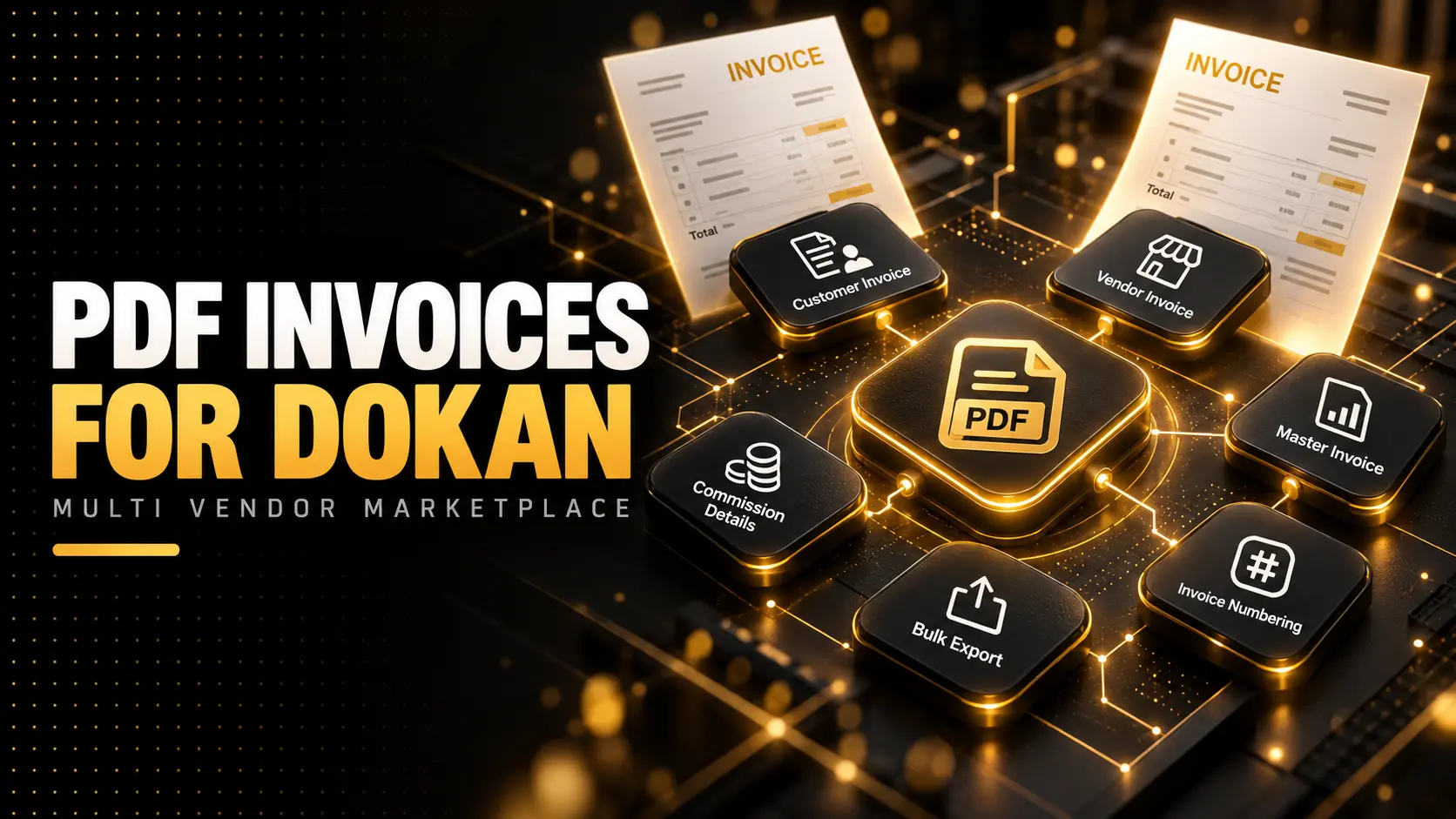
- Vendor invoices with branded PDFs, vendor order downloads, commission details, invoice numbering, and export tools.
- Customer invoices from the My Account page, including master marketplace invoices and separate vendor invoices, without exposing vendor commission data.
- Multi vendor handling where you choose one complete marketplace invoice, separate invoices per vendor, or both.
- Bulk actions for administrators who need to generate documents for many orders at once.
- Document architecture that is ready for credit notes, so the setup doesn't need to be rebuilt when the business needs more than invoices.
Each license covers one production website and includes product updates while the license is active.
Test It Like a Real Order
Whatever setup you choose, test it before launch the same way a real customer would use it.
Place an order with products from at least two vendors. Download the invoice as the customer. Log in as each vendor and download theirs. Check the numbering, the store details, the totals, and that no commission data appears where it shouldn't.
Then do it again on a phone.
It takes twenty minutes, and it catches almost every invoice problem before a customer does.
Final Thoughts
Invoices aren't the exciting part of building a marketplace, but they're one of the first things real customers and vendors notice when they're wrong.
The important part is deciding who the invoice is from, who can see what, and how numbering works, before the first real order comes in. The plugin setup becomes simple once those decisions are clear.
If you're running a Dokan marketplace and need invoices that work for customers, vendors, and admins, take a look at Dokan PDF Invoices & Documents, or ask me a question about your setup.