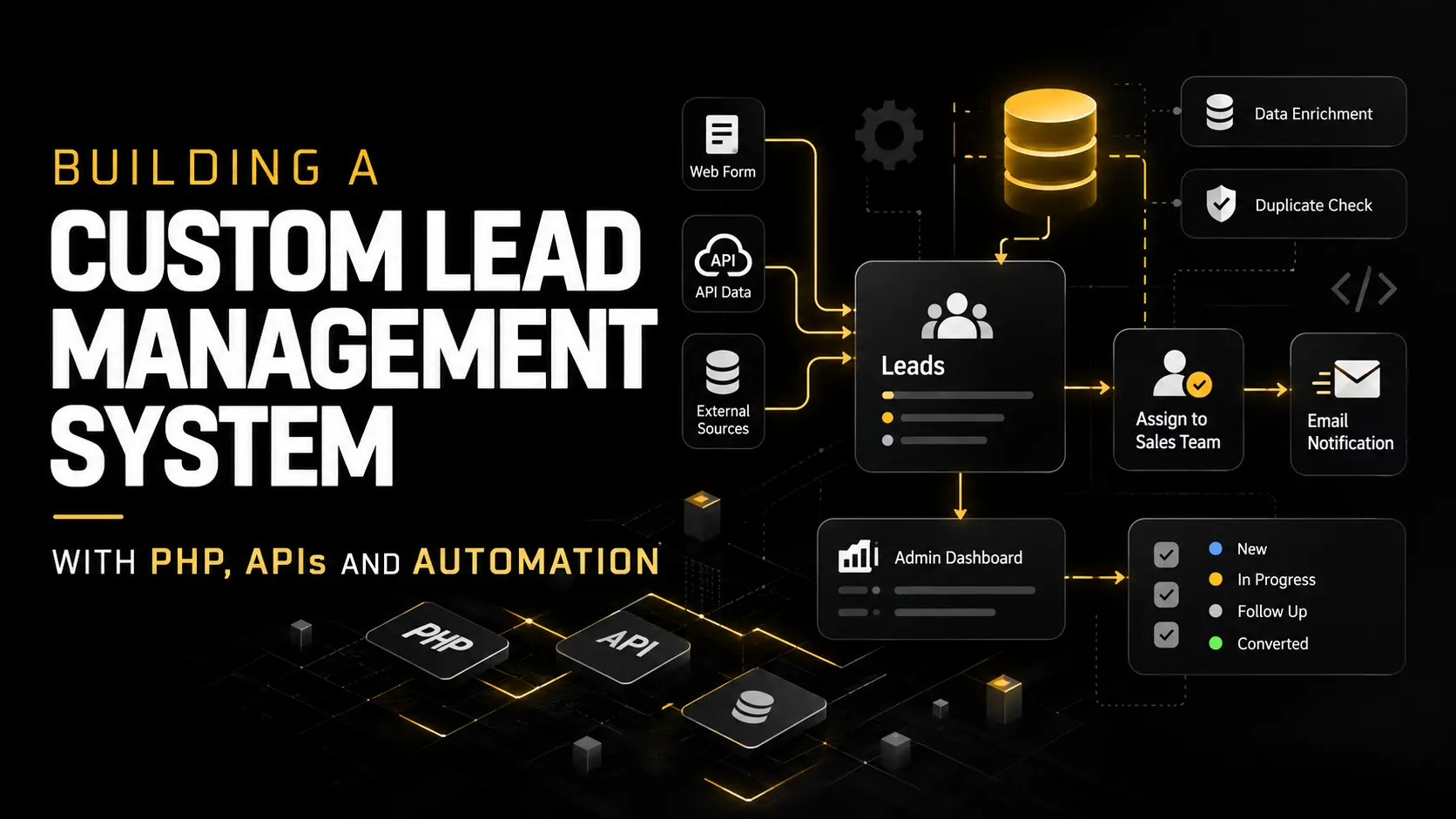
Tracking Google Ads Leads with a Custom GCLID System in PHP
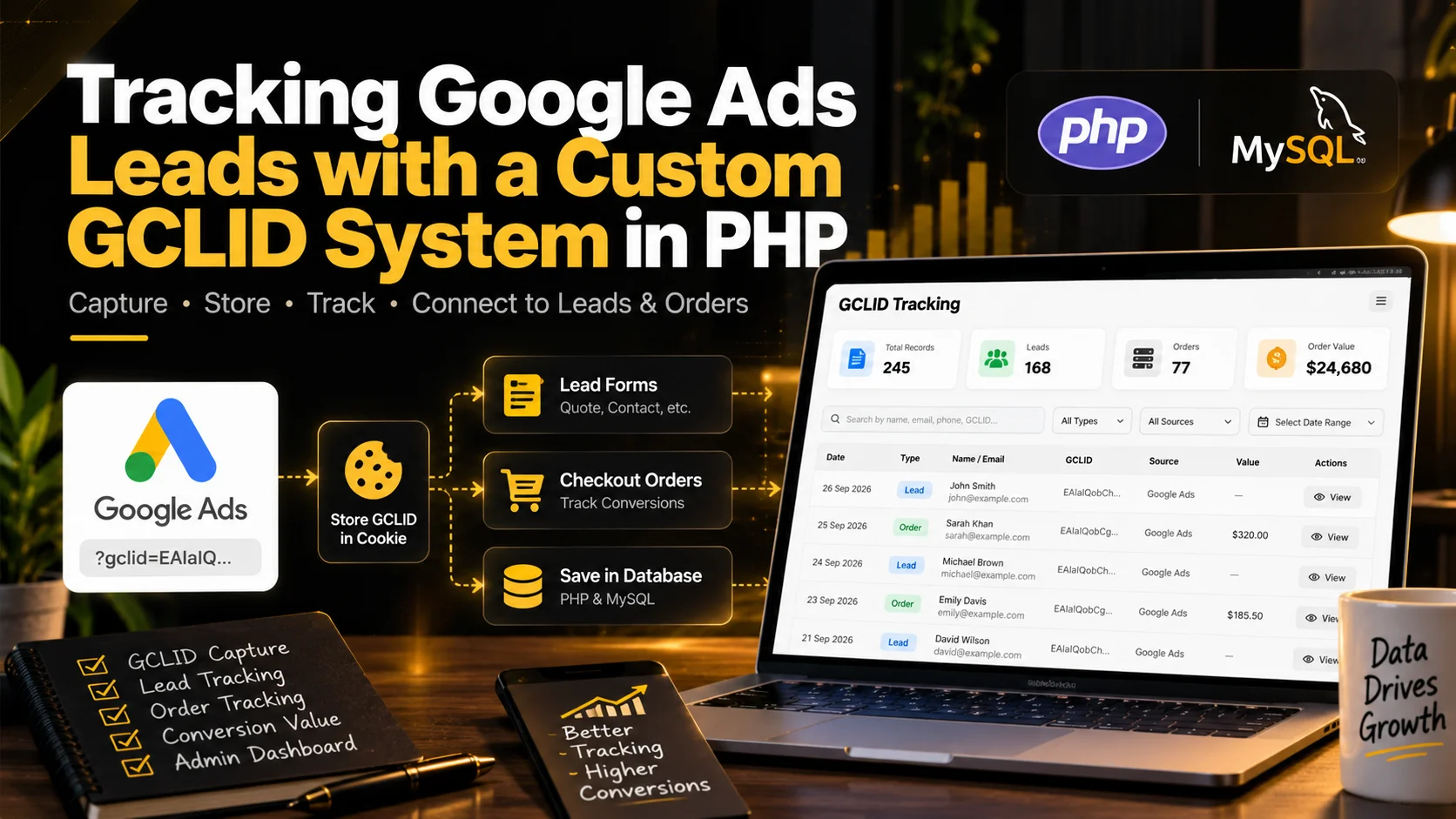
I built a custom GCLID tracking system in PHP to connect Google Ads clicks with website leads and checkout orders. The system captures the click ID, stores it with conversion data, and gives the team a simple admin dashboard for tracking leads, orders and conversion values.
The Problem
Running Google Ads is only useful when you can understand what happens after someone clicks an ad.
For this project, the website was already receiving leads from different forms and customers through checkout. The missing piece was a reliable way to connect those conversions back to the original Google Ads click.
Google provides a unique click identifier called a GCLID when someone visits a website through certain Google Ads campaigns.
The website needed a custom way to capture that value and keep it connected to the visitor when they later submitted a form or completed an order.
I didn't want to add another large tracking plugin just for this. The website was already built with custom PHP and MySQL, so I built the tracking directly into the existing system.
What I Needed to Build
The main goal was simple.
When a visitor arrived with a GCLID in the URL, the website needed to remember it.
If that visitor later submitted a quote form, contact form, rush order form, or completed checkout, the same GCLID needed to be saved with that conversion.
The admin team also needed one place where they could see the tracked data without checking the database manually.
The final system covered:
• GCLID capture from landing URLs
• First party cookie storage
• Lead form tracking
• Checkout order tracking
• Conversion value tracking
• Existing GCLID data recovery where possible
• Admin search and filtering
• Lead and order reporting in one interface
• Pagination without reloading the page
Capturing the GCLID
The first step was detecting the gclid parameter when a visitor entered the website.
For example, a Google Ads visitor might arrive through a URL containing:
?gclid=example-click-id
Once the value is detected, I save it in a first party cookie.
I configured the cookie to remain available for up to 90 days.
This is important because a visitor doesn't always convert immediately. Someone might click an ad today, browse the website, return several days later and then request a quote.
The GCLID can still be connected to that conversion.
Connecting GCLID with Leads
The website already had its own lead management system.
Instead of creating a separate tracking database, I extended the existing lead records so the Google Ads click ID could be stored directly with each lead.
The tracking was connected to the website's relevant forms, including quote and contact based submissions.
When a lead is created, the system checks for the stored GCLID and saves it with the lead.
This means a lead record can now include information such as the customer name, email, phone, lead source and Google Ads click ID.
For lead forms where there isn't an actual transaction amount yet, the conversion value can simply remain unset.
Tracking Checkout Orders
I also connected the same tracking logic to checkout orders.
When a customer completes an order, the system stores the GCLID with the order record where one is available.
Unlike a basic lead, an order has an actual monetary value.
That allowed me to associate the order's total price with the tracked conversion.
Instead of only knowing that an ad generated an order, the system can also show the value connected with that conversion.
Updating the MySQL Database
The existing database wasn't originally designed to store GCLIDs, so I updated the relevant tables.
The lead and order records were extended with fields for the click ID, while lead records could also store conversion related information.
I also added database indexes for the GCLID fields.
This helps keep lookups efficient as the amount of tracked data grows.
There was also useful historical information already stored in some lead source URLs.
Where an older lead contained a GCLID inside its stored source URL, I was able to extract it and backfill the new GCLID field.
Older checkout orders were different.
The original order records didn't store the visitor's landing URL or click ID, so there wasn't enough information to reliably recreate the GCLID for those historical orders.
I prefer leaving data empty rather than guessing it.
Building the GCLID Tracking Dashboard
Saving the information was only half of the job.
The data also needed to be useful for the people managing the website.
I created a dedicated GCLID Tracking page inside the existing admin dashboard.
The dashboard combines relevant lead and order information and provides a quick view of tracked activity.
It can show information such as the conversion date, lead or order type, customer details, GCLID, source, reference information and conversion value.
I also added summary information so the team can quickly see tracked GCLIDs, lead conversions, checkout conversions and tracked checkout value.
Search and Filters
Once the amount of data starts growing, a basic table becomes difficult to use.
I added search and filtering directly to the tracking page.
The admin can search across useful information such as customer names, email addresses, phone numbers, GCLIDs, sources and order references.
Records can also be separated between leads and orders.
This makes it much easier to investigate a specific conversion without manually searching through MySQL tables.
Solving a MySQL Collation Problem
One interesting issue appeared while combining lead and order data.
The two existing database tables weren't using completely matching text collations.
My original combined SQL query triggered:
Illegal mix of collations for operation 'UNION'
Changing database collations on a working production system just to fix one reporting page wasn't something I wanted to do.
Instead, I changed the approach.
The system queries the lead and order tables separately, normalizes the results in PHP, combines them after retrieval and sorts everything by conversion date.
This fixed the issue without making risky changes to existing database structures.
It's a good example of why custom development often involves working around the reality of an existing production system rather than rebuilding everything from scratch.
Adding Pagination Without Page Refreshes
The tracking table can eventually contain a large number of records.
Displaying everything at once would make the page slower and harder to use.
I added pagination with 20 records per page, including page numbers, Previous and Next controls and a record counter.
Navigation works without requiring a full browser page reload, so the dashboard feels much cleaner while working through conversion records.
The Result
The website now has its own first party GCLID tracking flow built directly into the existing PHP application.
A Google Ads visitor can arrive on the website, move between pages, submit a lead later or complete an order, while the original click ID remains connected with the resulting conversion when available.
More importantly, the tracking data isn't hidden inside database tables.
The admin team has a dedicated interface where leads, orders, click IDs and conversion values can be checked from one place.
Why I Built It Custom
There are many analytics and marketing tools available, but sometimes the website already has its own business logic, database structure and admin system.
In those situations, another plugin or external dashboard isn't always the right answer.
A custom implementation gave me control over where the data is captured, how long it is retained, which forms use it, how orders are connected and exactly what the admin team sees.
It also keeps the tracking connected with the website's existing lead management workflow instead of creating another disconnected system.
Final Thoughts
This project started with a small requirement: capture the Google Ads GCLID.
But proper conversion tracking involved much more than reading one URL parameter.
The click ID needed to survive across the visitor journey, connect with different types of conversions, fit an existing database, handle historical data correctly and remain easy for the admin team to use.
That's the part of custom PHP development I enjoy most. Taking an actual business requirement and building the backend logic around the way the website already works.